
Business Tax Account: What It Is & How to Set One Up
If you’ve started trading in the UK — as a sole trader, in a partnership, or through a limited company — you’ll almost certainly need a business tax account with HMRC. It’s the single online hub for managing everything from VAT to Corporation Tax, yet plenty of business owners either don’t realise they already have one or aren’t sure how to set it up properly.
This guide explains what a business tax account actually is, who needs one, exactly how to register, and how to avoid the small mistakes that cause the most frustration — lost Government Gateway details, missed activation codes, and duplicate accounts.
Whether you’re setting one up for the first time or trying to make sense of an account you inherited when you took over a business, this covers everything you need in one place.
Quick Answer
A business tax account is HMRC’s free online service for managing your business’s taxes — VAT, Corporation Tax, PAYE, Self Assessment and more — in one dashboard. You register using a Government Gateway ID or GOV.UK One Login, then add each tax you need to manage. Most sole traders, partnerships and limited companies need one.
Key Takeaways
- A business tax account is separate from a personal tax account, though the two can be linked
- You sign in using either a Government Gateway user ID or GOV.UK One Login
- You can add multiple taxes (VAT, PAYE, Corporation Tax, Self Assessment and more) to a single account
- Activation codes for some taxes are posted and can take up to 10 days to arrive
- Your accountant accesses your taxes separately through their own agent services account, not your login
On this page: What Is a Business Tax Account | Who Needs One | What You Can Do With It | How to Register (Step by Step) | Adding Taxes to Your Account | Illustrative Examples | Common Mistakes | Editor’s Insights | Business Tax Account vs Personal Tax Account | Which Taxes Should You Add? | Checklists | FAQ | Sources
What Is a Business Tax Account?
A business tax account is HMRC’s online service for viewing and managing the taxes your business owes, in one place, instead of dealing with each tax separately by post or phone.
Once it’s set up, your account brings together everything relevant to your business — VAT returns, PAYE for any staff you employ, Corporation Tax if you run a limited company, and Self Assessment if you’re a sole trader or partner. Each tax you add shows its own summary, including what you owe, when it’s due, and your reference number for that specific tax.
It’s genuinely just an administrative tool — it doesn’t change what tax you owe or how it’s calculated. What it changes is how easily you can see it, pay it, and stay ahead of deadlines, all from a single sign-in rather than juggling separate logins and paper correspondence for each tax.
Who Needs a Business Tax Account?
Sole traders, partnerships, and limited companies of any size all use the same type of business tax account, though what each one contains will differ depending on which taxes apply to that business.
- Sole traders typically use it for Self Assessment and, if turnover requires it, VAT
- Limited companies use it for Corporation Tax, PAYE if they employ staff, and VAT where applicable
- Partnerships use it to manage the partnership’s own reporting alongside each partner’s individual Self Assessment
- Employers of any structure need it to manage PAYE and report payroll to HMRC
If you deal with HMRC for more than one tax, a business tax account is worth setting up even if you also use an accountant — it gives you direct visibility over deadlines and balances rather than relying entirely on secondhand updates.
Editor’s Insight: Even if your accountant handles your filings, keep your own business tax account active. It’s the fastest way to confirm a return has actually been received and processed, rather than waiting to hear it secondhand.
What Can You Do With a Business Tax Account?
A business tax account lets you register for taxes, file returns, check what you owe, make payments, and update your business details, all without needing separate logins for each service.
Specifically, you can typically:
- Register for VAT, PAYE, Corporation Tax or the Construction Industry Scheme (CIS)
- View deadlines and outstanding balances across every tax you’ve added
- Make payments and set up direct debits for recurring liabilities
- Update your business address, bank details, or contact information
- Receive secure messages from HMRC instead of relying solely on post
- Give a colleague or team member limited access without sharing your own login
There are also more specialised services available through the same account for businesses that need them, such as tariff-related tools for importers and exporters.
Editor’s Insight: Set up a direct debit for recurring taxes like PAYE and VAT rather than paying manually each time. It removes one of the most common causes of accidental late payment — simply forgetting the date.
How to Register for a Business Tax Account (Step by Step)
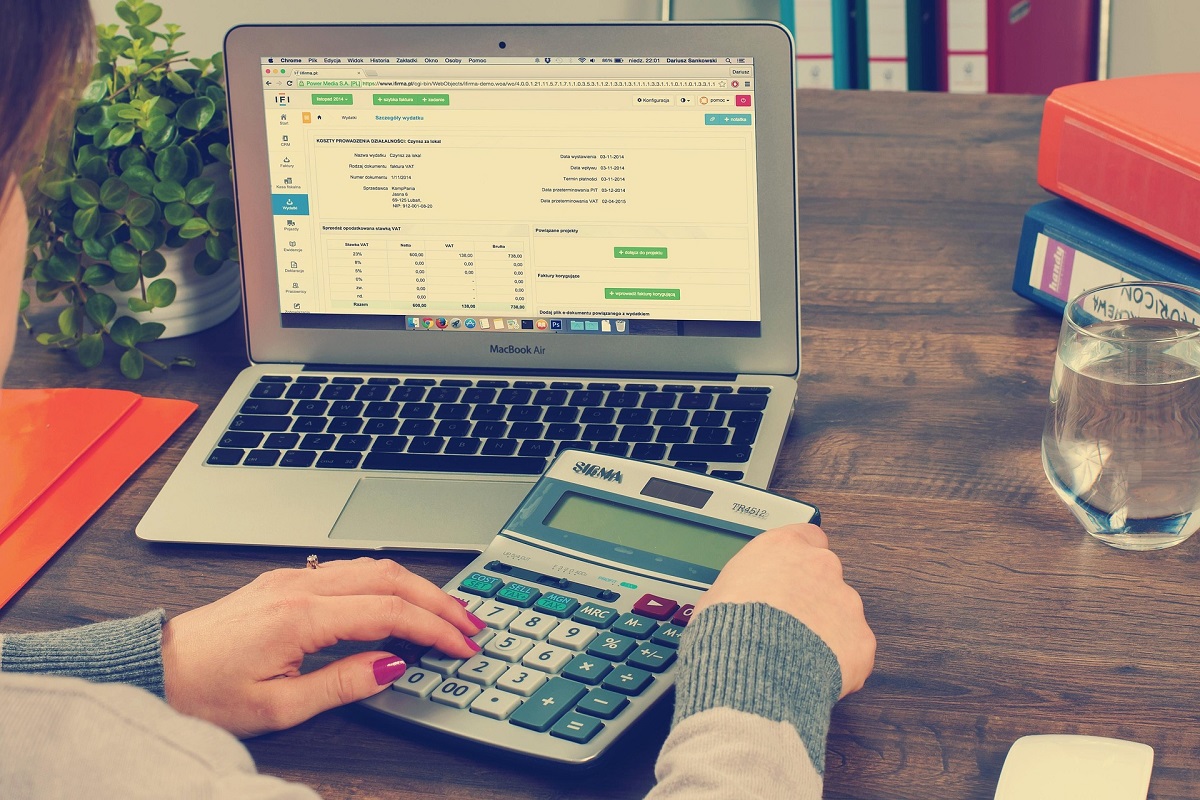
Registering takes around ten to fifteen minutes for the account itself, though adding some taxes afterwards can take longer if HMRC needs to post you an activation code.
- Go to the official sign-in page on GOV.UK and choose to create new sign-in details rather than reusing unrelated login details from another service.
- Choose your sign-in method — either a Government Gateway user ID and password, or GOV.UK One Login, depending on which HMRC currently offers for your situation.
- Verify your identity, usually using details from a passport, payslip, or P60, depending on which option HMRC presents to you.
- Confirm your email address using the confirmation code HMRC sends you, then set a password.
- Select the correct account type — choose “Organisation” if you’re registering on behalf of a limited company, or the individual option if you’re a sole trader.
- Add your business details, including your business type and any existing tax reference numbers you already hold.
- Add each tax individually from your account dashboard, entering the specific reference number HMRC asks for (such as your Corporation Tax UTR or VAT registration number).
- Wait for any activation codes that need to be posted, and enter them promptly once they arrive to avoid the code expiring.
Editor’s Insight: Keep a note of your Government Gateway user ID somewhere safe outside your email inbox. Losing it is one of the most common (and most time-consuming) support issues business owners run into with HMRC.
Adding Taxes to Your Business Tax Account
Each tax you add to your business tax account works as its own section, with its own reference number, deadlines and payment history, rather than one combined balance.
The most common taxes businesses add are VAT, PAYE for employers, Corporation Tax, and Self Assessment. Beyond these, HMRC’s business tax account also supports a wide range of more specialised schemes and duties for businesses that need them, from customs-related services to specific industry schemes such as the Construction Industry Scheme.
If you already have a reference number for a tax — for example, because you registered for VAT separately in the past — you can usually link it to your business tax account rather than registering again from scratch.
Illustrative Examples
Real-World Scenario — New sole trader: A freelance designer registers as self-employed and sets up a business tax account at the same time, adding only Self Assessment initially. A year later, as turnover grows past the VAT threshold, they add VAT to the same account rather than creating a separate login, keeping everything in one dashboard.
Real-World Scenario — Small limited company with staff: A small limited company sets up its business tax account under “Organisation,” then adds Corporation Tax and PAYE once it takes on its first employee. The director gives their bookkeeper limited access to the PAYE section only, rather than sharing full login details.
Illustrative Example — Switching accountants: A business owner changing accountants keeps their own business tax account unaffected, since their previous accountant accessed the account through a separate agent services login rather than the owner’s own credentials. The new accountant is simply granted fresh access under their own agent account.
Common Mistakes
- Creating a second account by accident — signing in with the wrong details or a new email address can create a duplicate account rather than accessing the original one; always check for existing sign-in details before registering again.
- Losing Government Gateway login details — without a password manager or secure note, business owners frequently lose access and face a lengthy identity-verification process to recover it.
- Letting activation codes expire — codes for some taxes are only valid for a set period after being posted; leaving post unopened for a few weeks can mean starting the process again.
- Assuming an accountant’s access replaces your own — your accountant’s agent login doesn’t give you visibility unless you also maintain your own account and login.
- Not updating contact details after a house or business move — HMRC still relies on your registered address and email for some communications, and missed post can mean missed deadlines.
Editor’s Insights
- Treat your business tax account as a single source of truth for deadlines — checking it monthly avoids relying on memory or scattered paperwork.
- If you employ even one member of staff, PAYE registration through your business tax account isn’t optional — it needs setting up before your first payday.
- A business tax account doesn’t calculate what you owe for you; good bookkeeping throughout the year still matters just as much.
- Sole traders who register for VAT voluntarily, before hitting the threshold, sometimes do so specifically to reclaim VAT on start-up costs — worth discussing with an accountant if this applies to you.
- Keep a simple record of which reference number belongs to which tax; UTRs, VAT numbers and PAYE references are easy to mix up when several are added to one account.
Business Tax Account vs Personal Tax Account
If you’re not sure which account applies to you, use this quick guide:
- Use a personal tax account if: you only need to check your own Income Tax, State Pension forecast, or tax code as an individual, with no separate business taxes to manage
- Use a business tax account if: you’re a sole trader, partner, or limited company managing VAT, PAYE, Corporation Tax, or business Self Assessment
- Use both if: you’re a sole trader, since your personal and business tax matters are closely linked, though HMRC treats them as two connected accounts rather than one
Personal Tax Account vs Business Tax Account
| Factor | Personal Tax Account | Business Tax Account |
|---|---|---|
| Who it’s for | Individuals | Sole traders, partnerships, limited companies |
| Typical uses | Income Tax, tax code, State Pension | VAT, PAYE, Corporation Tax, Self Assessment |
| Sign-in method | Government Gateway or GOV.UK One Login | Government Gateway or GOV.UK One Login |
| Can they link? | Yes, for sole traders | Yes, for sole traders |
| Accountant access | Via separate agent login | Via separate agent login |
Registration Checklist
- [ ] Confirmed you don’t already have Government Gateway sign-in details from a previous registration
- [ ] Gathered ID documents (passport, payslip or P60) ready for identity verification
- [ ] Decided whether to register as an individual or an organisation
- [ ] Have your business details and any existing tax reference numbers to hand
- [ ] Set aside time to enter any activation codes promptly once they arrive by post
Ongoing Management Checklist
- [ ] Stored your Government Gateway login details securely
- [ ] Added every relevant tax (VAT, PAYE, Corporation Tax, Self Assessment) to the account
- [ ] Set up direct debits for recurring tax payments where suitable
- [ ] Reviewed deadlines and balances at least monthly
- [ ] Updated contact and business details after any change of address or structure
FAQ
What is a business tax account used for? It’s HMRC’s online service for registering, filing, checking, and paying business taxes such as VAT, Corporation Tax, PAYE and Self Assessment, all from a single dashboard.
Is a business tax account free to set up? Yes, registering for a business tax account is free — you only pay the tax you actually owe, not for use of the account itself.
How long does it take to set up a business tax account? Creating the account itself usually takes ten to fifteen minutes, though adding some taxes may take longer if HMRC needs to post you an activation code, which can take up to ten days.
Can I have both a personal and a business tax account? Yes, and if you’re a sole trader you’ll typically use both, since your personal Self Assessment and business tax matters are closely connected, even though they’re accessed as separate logins.
Can my accountant access my business tax account directly? No — your accountant accesses your tax details through their own agent services account, a separate system from your personal Government Gateway login.
What happens if I lose my Government Gateway details? You’ll need to go through HMRC’s identity verification process again to recover or reset access, which can take longer than the original registration.
Do I need a business tax account if I’m not VAT registered? Yes, if you’re a sole trader you’ll still use it (linked to your personal account) for Self Assessment, even before you reach the VAT threshold.
Can I remove a tax from my business tax account? Yes — you can either deregister for that tax entirely or simply stop viewing it in your account, though you’ll still need to file returns until you’re formally deregistered.
Sources & References
- GOV.UK — HMRC online services: sign in or set up an account
- GOV.UK — sign in to your HMRC business tax account
- HMRC — Self Assessment and Corporation Tax guidance
- GOV.UK — VAT registration guidance
About the Author Written and reviewed by the Epiclectic Editorial Team. Epiclectic is an independent UK publication owned by Eternity Accountants Limited, publishing practical, fact-checked guides across accounting, business, home & living, gardening, travel, sustainability and wellness. Editorial standards: original research, fact-checking against official sources, and regular review. Last reviewed: August 2026 Sources: GOV.UK, HMRC
Conclusion
A business tax account isn’t optional admin you can put off indefinitely — it’s the standard way HMRC expects most sole traders, partnerships and limited companies to manage their taxes today. Setting it up properly from the start, with secure login details and every relevant tax added, saves considerably more time than the ten minutes it takes to register.
If you’re still working out which taxes actually apply to your business, our guide to registering as a sole trader is a good next step, alongside our Corporation Tax return guide if you run a limited company.
For businesses juggling multiple taxes or unsure which reference numbers apply where, Eternity Accountants can review your set-up and handle the filings directly — though for most people, getting the account itself registered correctly is the only step needed this week.